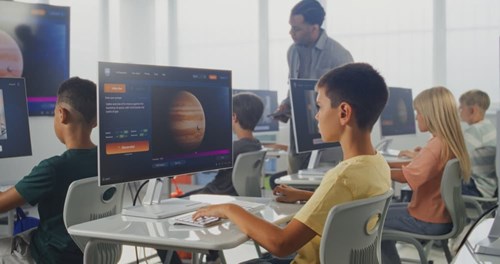
Artificial intelligence is now something teachers must manage in the classroom. The ability of AI to write text, summarize readings, generate images and even suggest lesson ideas has accelerated its use in schools across the country.
That speed is useful, but it can also create confusion. Using AI in education can sound like a major shift when many teachers simply want tools that save time and support learning.
Used well, AI in the classroom is less about replacing instruction and more about strengthening it. A clear purpose with clear guardrails is the goal. Achieving that goal means protecting student data, checking for bias and errors and keeping humans in charge of decisions that affect students.
National and global guidance points to the same idea. When it comes to AI in education, schools should take a human-centered approach and carefully manage risks.
What AI in Education Really Means
AI in education often refers to software that generates content or makes predictions based on data patterns. Generative AI tools can draft text, create examples or produce quick explanations. Other AI tools may support learning platforms by recommending practice questions or flagging skill gaps.
In plain terms, AI is a helper that works off what it has seen before. It does not “know” what is true. It predicts what sounds right based on training data. This predictive nature is why it can confidently produce mistakes. It can also reflect bias in the data on which it was trained.
UNESCO’s guidance on generative AI emphasizes the need for policies, educator capacity-building and a human-centered approach to ensure AI benefits learners and teachers. Keeping human considerations central in AI is essential. AI should support teacher work, not replace teacher judgment.
Start With Guardrails That Keep Learning and Data Safe
Responsible use starts before anyone writes a prompt. A simple classroom AI checklist can help ensure consistent decisions. Checklist items include:
- Follow local policy first. School and district rules take precedence over tool features.
Protect student privacy. Avoid entering student names, IEP details, health info or identifiable data into open tools. - Use AI for drafts, not final answers. The teacher remains the editor and decision-maker.
- Be transparent when it matters. Families and students should understand what tools are used and why. The National Education Association emphasizes transparency and strong data governance when adopting AI tools.
- Keep a “human-in-the-loop” step. Check for accuracy, tone, bias and readability every time.
The U.S. Department of Education also notes the need for guidance and policies that ensure AI supports teaching and learning rather than creating new risks.
Use AI for Lesson Planning, Not Lesson Replacing
One of the best uses of AI for teachers is streamlining lesson planning support. AI can help a teacher get unstuck by suggesting options and speeding up prep time. Practical, low-risk lesson planning uses include:
- Drafting lesson objectives aligned to a standard.
- Generating discussion questions at multiple depths.
- Creating short “do now” warm-ups.
- Building vocabulary lists.
- Producing a first draft of a rubric or success criteria.
AI can also help teachers create materials in different formats, like a short reading passage and a matching graphic organizer. AI can reduce preparation time and allow teachers focus more on personalized learning.
A simple best practice is to treat AI output like an intern’s draft. It’s a useful starting point, but not ready without a detailed review and revision.
Support Differentiation and Feedback With Clear Boundaries
Differentiation is another strong fit for AI in education. AI tools can create multiple versions of the same task. The key is to protect rigor and avoid “watering down” learning. Responsible differentiation ideas include:
- Rewriting directions in simpler language while keeping the same skill target.
- Offering sentence starters for academic writing.
- Creating practice sets with gradual difficulty steps.
- Generating extension challenges for early finishers.
- Suggesting small-group reteach approaches.
AI can also help with feedback by identifying patterns in student work and suggesting next steps. Again, teachers still need to verify that the feedback fits the student and matches class expectations.
Fresno Pacific University’s Online AI in the Classroom Course
Fresno Pacific University offers AI in the Classroom for educators seeking structured practice with real classroom examples. The professional development course helps teachers use AI responsibly and effectively.
The online, self-paced course enables K–14 educators to understand AI in education clearly and jargon-free, regardless of their technical background. AI in the Classroom provides step-by-step guidance on integrating AI into everyday teaching, with real-world examples and practical strategies for using AI responsibly and addressing ethical concerns, such as student privacy.
Teachers learn core AI concepts and practice skills, including selecting affordable tools and writing effective prompts. The course contains modules on AI fundamentals, integrating AI across curricula, navigating adoption and ethical concerns and planning for future trends.